
Dice Rollers - Roll To Play
FunCraft GamesBoard
4.7235.00 Reviews
- Version
- 1.0.24330
- Installs
- 50.00K
- Age Rating
- Everyone
Screenshots
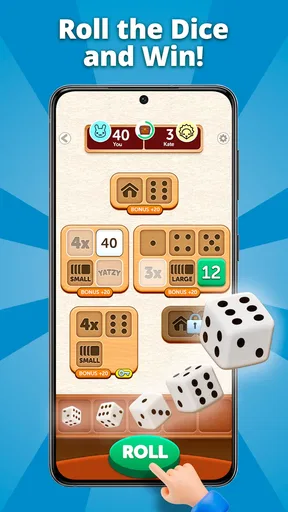

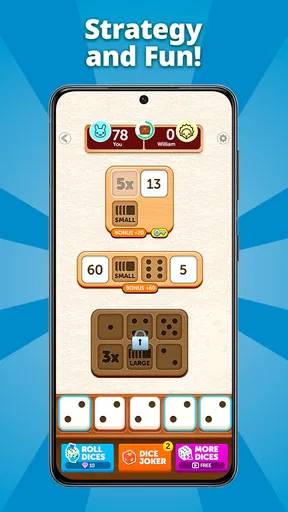
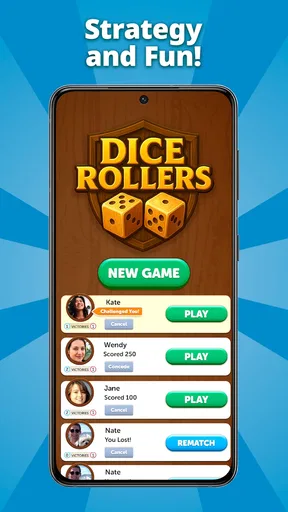
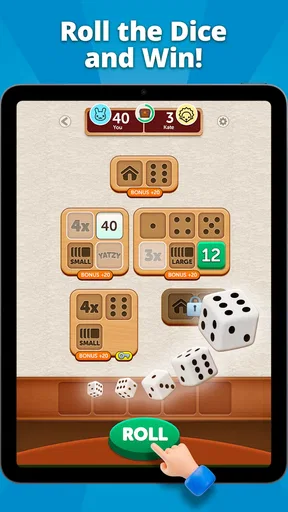

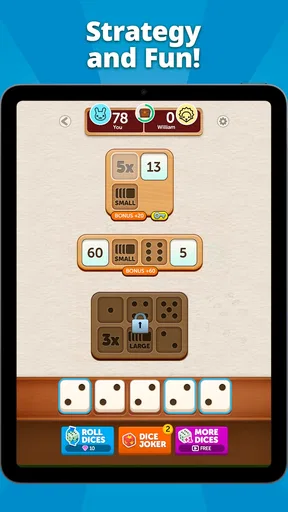

Our Review of Dice Rollers - Roll To Play
 Analysis by Appyee
I reach for Dice Rollers - Roll To Play when I want a quick way to handle tabletop rolls without stopping to sort through physical dice. It is a board game companion from FunCraft Games, and its appeal is straightforward: keep a range of rolls close at hand, then get back to the game. I think it makes the most sense for players who already enjoy tabletop games and want a convenient backup, rather than anyone looking for a full game in its own right.
Quick rolls, with a little setup to consider
For a simple roll, a digital roller should feel quicker than rummaging through a dice bag or passing a handful of dice around the table. Here, the standard dice and the option to roll several at once are useful for common situations such as checking damage or resolving repeated actions. Once you know where the controls are, that can help keep a turn moving. If you are new to digital dice, though, expect to spend a little time learning the layout before you use it in the middle of a busy session.
The custom dice option is more valuable when a game calls for something outside the usual set. I would configure an unusual die before play, not while everyone is waiting for a result. That small bit of preparation turns a potentially fiddly moment into a ready-to-use roll, and it is a practical reason to choose this app over a bare-bones roller. For a quick, ordinary d6 roll, on the other hand, a physical die or a simpler tool may be just as convenient.
How it holds up when the table gets busy
In my experience, the rolling animation gives each result a clear moment without making the app feel like a separate entertainment show. The roll history is handy when someone asks what came up a moment ago or wants to double-check a sequence. I would treat that history as a convenience for checking recent play, rather than a substitute for keeping a campaign record: the useful habit is to note important outcomes in the game’s usual notes or character sheet.
Group play is where a phone-based roller has a clear trade-off. If everyone rolls on their own device, there is less waiting for shared dice, and players can avoid passing a set around. But a visible physical roll can feel more trustworthy to a group that cares about seeing the die land. My practical suggestion is to agree on how rolls will be shown before a session: use the app when speed matters, and keep physical dice for moments where the table wants that shared, tactile result.
The app is free to install, with optional in-app purchases ranging from $0.49 to $49.99 per item. That makes it easy to try the basic experience before deciding whether any paid option is worthwhile for your own routine. I would not spend simply because a session is coming up; first see whether the included rolling and customization cover the games you actually play.
Who will get the most from it
I would recommend it most to casual tabletop groups, role-playing players who often need different dice, and anyone who has misplaced a physical set at the wrong moment. It is also a sensible travel companion: when you are meeting friends somewhere and do not want to pack every die you might need, a digital roller can reduce the amount of gear you carry. The Everyone age rating makes it broadly suitable, though younger players may still benefit from an adult helping them understand a particular game’s rules.
It is less compelling for someone who only needs an occasional basic roll, or for a group that prefers the sound and feel of real dice. It is also not a replacement for the rulebook, character sheets, or a complete tabletop game. Think of it as a focused utility: useful when dice are the bottleneck, but not a reason by itself to change how your group plays.
Getting Started with Dice Rollers
The moment I fired up Dice Rollers - Roll To Play, I was welcomed by a sleek and intuitive interface. You know that feeling when you open an app and everything just feels right? Yeah, this app nails it. The design is clean, with vibrant colors that make it easy to differentiate between types of dice. It's almost like having a bag of dice in your pocket, minus the clatter and potential for losing them under the couch.
Features Galore
One of the standout features of Dice Rollers is its versatility. Not only does it support all the standard dice types—d4, d6, d8, d10, d12, and d20—but it also lets you roll multiple dice at once. This is a game-changer for those intense battles where you're calculating damage or making multiple checks at once.
Another neat feature is the custom dice option. Ever needed a d100 or some other unique die for a special game? No worries, the app has you covered. You can create custom dice with specific sides and values, tailoring your rolls to fit any gameplay scenario. It's like having a personal, digital dice factory at your fingertips.
User Experience
Now, let's talk about user experience. One word: smooth. The app runs like a charm on both Android and iOS, with no noticeable lag or crashes during my time testing it. The roll animations are crisp and satisfying, adding a bit of flair to each toss. Plus, the app records previous rolls, which is perfect when you need to check back on your luck (or lack thereof).
Navigation within the app is a breeze. The menu is straightforward, making it easy to access different settings or switch between games. There's even a handy tutorial for newcomers, which I found helpful when exploring the custom dice feature.
Perfect for All Type of Players
Whether you're a casual gamer or a hardcore role-playing aficionado, Dice Rollers - Roll To Play caters to all. For those just getting into tabletop games, the app simplifies the dice-rolling process, allowing you to focus more on strategy and fun. For veterans, the customization options provide depth and flexibility, ensuring that no two game nights are ever the same.
One of my favorite aspects is how this app enhances group play. Gone are the days of waiting for someone to find their lost d20 or arguing about whether a roll was cocked. Everyone can have the app on their phone, making rolls simultaneously, keeping the game flowing smoothly.
The Verdict
So, what's the final word on Dice Rollers - Roll To Play? In my opinion, it's a must-have for any tabletop gaming fan. It combines functionality with style, offering a comprehensive dice-rolling solution that enhances the gaming experience. Whether you're rolling for initiative or determining damage, this app ensures you're always equipped for the task.
If you're curious to try it out, you can find it on both the Android and iOS app stores. Give it a whirl—I promise, your game nights will thank you!
Speed, stability, and device fit
The broader context helps set expectations: the game has a 4.7 average from around 2.2 thousand ratings, and has passed 50 thousand installs. It is free, rated Everyone, and its current version is 1.0.24330. Those figures suggest an established audience, but they do not tell me how it will feel on every phone, so I would judge performance by the actual session rather than assume identical results across devices.
For a short roll or a handful of checks, the app is best understood as a lightweight stop between turns, not something that should dominate the session. The practical test is whether you can open it, make the roll, and return your attention to the table. If you are playing for hours, keep your phone charged and avoid treating the app’s recent-roll record as permanent campaign storage. A quick personal note is a safer way to preserve outcomes you will need later.
Compatibility starts at Android 7.0, which leaves out older Android devices below that requirement. The game is also available on iOS. If your phone is older or has little free space, I would check that it can install and run the current version before planning to rely on it for a game night. I would not assume that a board-game utility needs much from a device, but animation and repeated use can still feel different from one handset to another.
A realistic way to use it
Imagine you are meeting friends after work for a role-playing session, and one player has forgotten a set of dice. Rather than pause the group while someone lends out their only d20, the player can use the app for routine checks and damage rolls. Before the session starts, they can try the custom-die controls if the game needs a less common result range. During play, the history can help settle a brief “what did I roll?” question, while the group’s notes remain the place for anything important to the story.
That workflow also shows when another option is better. If the group needs a shared, easily watched roll, physical dice may feel fairer and more social. If the aim is to manage a whole campaign, a dedicated character or campaign tool would be more suitable than a dice-focused app. I like this one in the narrower role of keeping the actual act of rolling convenient.
My practical performance verdict
FunCraft Games has made a focused board-game utility rather than an all-purpose tabletop suite. The standard rolls cover familiar needs, while multiple rolls and custom values give experienced players room to adapt it to unusual situations. The main friction is not the idea itself but the small decisions around use: set up custom dice ahead of time, agree with your group whether phone rolls are acceptable, and keep meaningful results somewhere more deliberate than a short history.
Overall, I would keep it installed if I played tabletop games regularly, especially if I traveled to sessions or often needed a mix of dice. I would skip it if I rarely roll anything beyond a basic die, dislike screens at the table, or need a full game-management system. Used for the job it handles well—quick, flexible rolls—it is a convenient companion; it does not need to replace the tactile pleasure of a real dice set to earn its place.
Verdict
Strengths of Dice Rollers - Roll To Play
- Simple, intuitive interface for easy use.
- Supports multiple dice types and quantities.
- Customizable settings enhance user experience.
- Lightweight app, won't drain device resources.
- Quick setup for immediate gameplay.
Limitations of Dice Rollers - Roll To Play
- Lacks advanced statistical features.
- No integration with other gaming apps.
- Limited visual customization options.
- Ads may interrupt during use.
- No offline mode available.
Other Releases by FunCraft Games
View All


Similar Picks in This Category
View All
Ludo King®
Gametion4.1

Ludo
Yarsa Games4.6

Tile Master® - Matching Game
Higgs Studio3.6

Checkers Online
CC Games4.6

Dominoes
Loop Games4.7

Chess
Chess Prince4.6
Frequently Asked Questions
What is Dice Rollers - Roll To Play, and how does it work?
Dice Rollers - Roll To Play is a versatile app designed for tabletop gaming enthusiasts. It allows users to simulate dice rolls for various types of dice, from the common six-sided to more complex twenty-sided dice. The app provides a user-friendly interface, customizable settings, and supports multiple dice rolls simultaneously, making it a convenient tool for gamers.
Is Dice Rollers - Roll To Play available for both Android and iOS devices?
Yes, Dice Rollers - Roll To Play is available for download on both Android and iOS platforms. Users can find the app on the Google Play Store and the Apple App Store. The app is optimized for both operating systems, ensuring a smooth experience for all users, regardless of their device.
Does Dice Rollers - Roll To Play require an internet connection to function?
No, Dice Rollers - Roll To Play does not require an internet connection to perform its basic dice rolling functions. This offline capability is particularly useful for users who want to conserve data or need to use the app in areas with limited connectivity. However, an internet connection may be required for updates or additional features.
Are there any in-app purchases or ads in Dice Rollers - Roll To Play?
Dice Rollers - Roll To Play is free to download, but it includes optional in-app purchases for additional features and customization options. The app also contains ads, which help support its development. Users can opt for a premium version to remove ads and unlock enhanced functionalities, providing a more streamlined experience.
What customization options are available in Dice Rollers - Roll To Play?
The app offers various customization options to enhance the user experience. Users can choose different dice designs, adjust the number of dice rolled, and set specific rules for their games. Additionally, users can save their settings for future sessions, making it easier to jump back into their favorite games with personalized configurations.
Play our best games!


